
At a glance
- How you get access
- Register your organization; its profile is reviewed before you start
- Your focus
- Proposing, delivering and recording
- What protects you
- Evidence that cannot be replaced, geo-tagged photos and an audit trail
- Languages
- English and Hindi
Overview
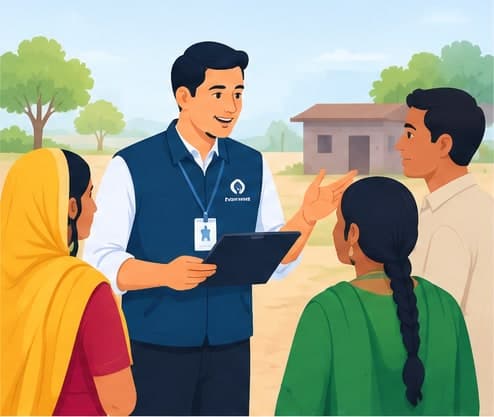
Implementing agencies (NGOs, Section 8 companies, trusts and societies) deliver the work on the ground. You register once, keep your documents up to date, apply to CSR companies' calls, and run approved projects with a clear record.
Receipts, expenses and field evidence are recorded as the work happens, so the CSR company sees your delivery and your payments follow what has been verified.
Why it helps
Your documents in one place
Keep registration documents such as 12A, 80G and CSR-1 up to date, and see when one is about to expire.
Clear milestones and tranches
Your sanction sets out the milestones and the conditions for each release, so everyone knows what verified work looks like.
A record that speaks for you
Photos, receipts and expenses are saved as proof of delivery, so your results are easy to show.
What you can do
Register and keep documents current
Complete your profile once and upload the documents CSR companies ask for.
Apply and send proposals
Respond to a CSR company's call with a proposal covering objectives, beneficiaries, budget, indicators and milestones.
Confirm receipts and record expenses
Confirm each fund receipt and submit expenses with their invoices.
Capture evidence from the field
Your field staff take geo-tagged, time-stamped photos against milestones, even offline, and sync them later.
How it works
- 1
Step 1
Register
Sign up and complete your profile. It is reviewed before you can use the portal.
- 2
Step 2
Apply
Send a proposal in response to a call and, if it is approved, receive your sanction.
- 3
Step 3
Deliver and record
Record receipts and expenses, and capture field evidence against each milestone.
- 4
Step 4
Reach milestones
Each milestone is verified, and the next release follows its conditions.
Before you begin
- The details and documents asked for at registration, such as registration certificates and audited accounts
- A named person to manage your organization on the platform
- A phone or tablet with a camera for field photos
Built-in safeguards
Evidence stays as submitted
Evidence files are checked, fingerprinted and stored safely. They cannot be replaced after submission.
Unusual photos are held for review
A duplicate photo, edited details or a location outside the site is saved but held until a reviewer accepts it.
Your documents are tracked
An expired or rejected mandatory document makes an agency not fundable, so keep them current.
Common questions
Can evidence be changed after it is submitted?
No. Evidence cannot be replaced after submission, so check each file before you submit.
What happens if a photo looks unusual?
It is saved but held, and it is not counted until a reviewer accepts it.
Do I need to install an app?
No. The field screens run in your phone's web browser and work offline; there is no app to install.